Mubert: A Game-Changer in AI-Driven Music Generation for Professionals
What is Mubert?
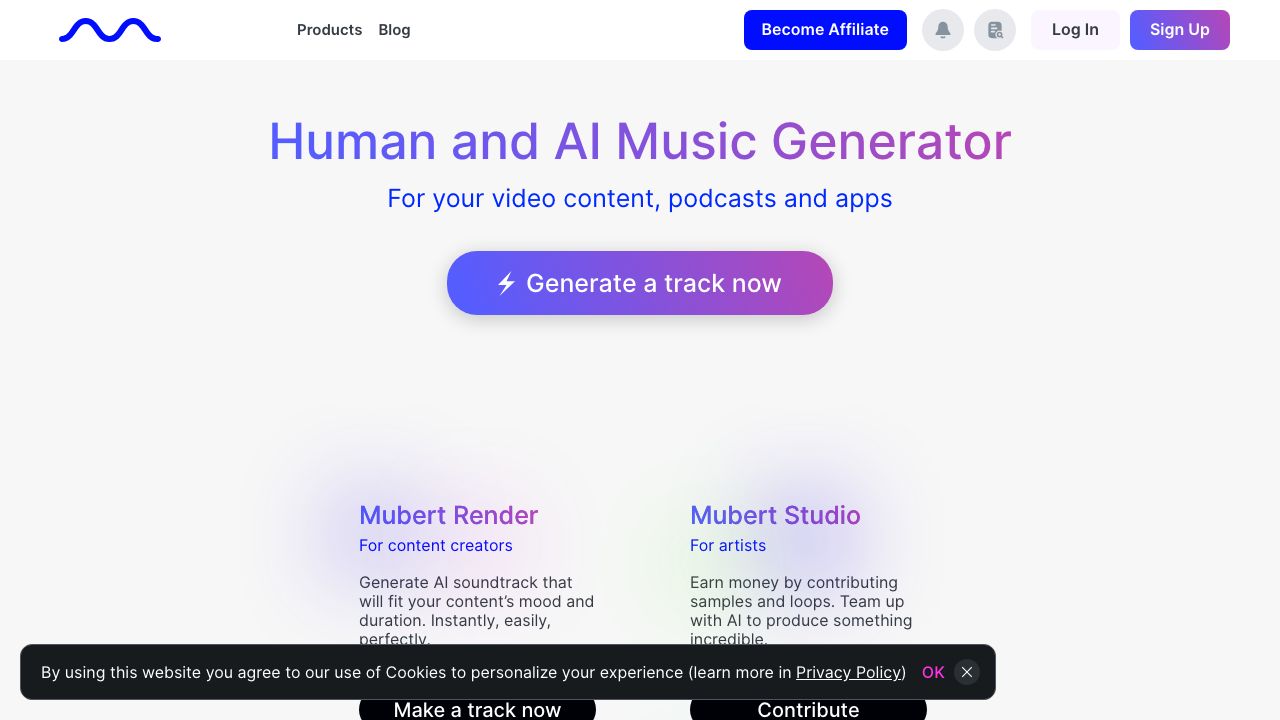
Mubert is an AI-driven music platform that generates royalty-ready audio for creators, brands, and developers. It combines a library of professionally produced musical fragments with generative algorithms to create endlessly variable tracks that adapt to mood, tempo, and length. For AI and audio professionals, Mubert is both a production tool (via Mubert Render and Studio) and an integration platform (via the Mubert API/SDKs) that lets you embed adaptive soundtracks into apps, games, ads, streams, and products. Explore the official site at https://mubert.com.
Key Features and Capabilities
We’ll focus on the features that matter when you’re building production-grade audio workflows.
-
Mubert Render (on-demand licensed stems and masters)
- What it does: exports fully licensed, high-quality files (WAV/MP3) for a specific duration, tempo, and mood.
- Practical example: generate a 30–60 second master WAV at 48 kHz, 24-bit for a video ad and attach the commercial sync license for distribution.
-
Mubert API / SDK
- What it does: real-time streaming and programmatic rendering endpoints for adaptive music, with token-based authentication.
- Practical example: implement dynamic background music for a mobile game that shifts intensity based on player state (calm exploration → combat) by switching API parameters (mood, energy, BPM) on the fly.
-
Mubert Studio (creative UI)
- What it does: a browser-based interface to refine parameters (genre, instruments, tempo, stems), audition variations, and export edits.
- Practical example: craft a podcast intro by layering a piano lead with a subtle synth bed, tweak the length to 10 seconds, then export as a stereo WAV.
-
Mubert for Brands & Licensing
- What it does: bespoke licensing and custom music streams for commercials, retail, and branded content.
- Practical example: negotiate a curated catalog and continuous in-store stream with exclusive usage terms for a retail chain.
-
Live and Creator Tools
- What it does: prebuilt channels and mobile/web apps for creators to access continuous generative music and ready-to-go packs.
- Practical example: stream an always-fresh lo-fi bed for a livestream without repeating loops or manual editing.
Getting Started
Here’s a practical setup path to move from experiment to production.
- Create an account at https://mubert.com and review the product pages for Render, Studio, and API to decide which workflow fits your use case.
- For single assets and commercial sync: open Mubert Render, pick genre and mood, set BPM and duration, choose export quality (WAV 24-bit recommended for professional projects), then purchase the sync/commercial license for your usage.
- For programmatic or adaptive use: sign up for the Developers/API plan, generate an API key in your dashboard, and read the docs for streaming vs render endpoints. Start in a sandbox or staging app to test parameter changes.
- For hands-on editing: launch Mubert Studio, create a new project, use the parameter sliders (genre, energy, instruments), audition variations, and export stems or masters. Save presets for reproducible results.
- Integrate: in your production app, call the streaming endpoint for live adaptive audio, or pre-render and cache licensed masters for low-latency playback. Monitor usage and licenses from the dashboard.
Tip: always keep a local copy of rendered masters and their license metadata (project name, timestamp, license type) to simplify audits and rights management.
Real-World Use Cases
-
Video production and advertising
- Use Mubert Render to generate a fully licensed 30–60 second soundtrack tailored to an ad’s tempo and emotional arc. No need to chase disparate sample packs.
-
Games and interactive experiences
- Integrate the Mubert API to supply adaptive, non-repeating ambient music that reacts to gameplay states (safe zone → combat). This reduces composer time while maintaining variety.
-
Streaming and background audio
- Deploy continuous generative channels for live streamers, podcasts, or retail environments. The generative nature reduces loop fatigue and keeps listener experience fresh.
These use cases work best when you combine Render for finalized assets and the API for adaptive, on-the-fly music.
Pros and Cons
Advantages:
- Scalable generative engine that produces non-repeating, production-quality music.
- Clear commercial licensing paths (Render + sync licenses) tailored for content creators and brands.
- API and SDK support for adaptive, real-time integration into apps, games, and services.
- Studio UI and presets speed up iteration for non-musicians and producers.
Limitations:
- Highly specific musical direction (very niche genres or highly custom leitmotifs) still benefits from a human composer; Mubert is best for beds, ambiences, and broad soundtrack needs.
- Some workflows (complex stem separation, custom orchestration) are limited compared to traditional multitrack sessions—expect fewer options for deep arrangement control.
How It Compares to Alternatives
Mubert sits between sample libraries (Epidemic Sound, Artlist) and AI composers (AIVA, Amper, Soundraw). Compared to Soundraw (https://www.soundraw.io) and Amper (https://www.ampermusic.com), Mubert emphasizes real-time streaming and programmatic rendering with commercial licensing designed for ongoing, adaptive use. If you need bespoke orchestral scores, AIVA (https://www.aiva.ai) might fit better; if you need continuous, non-repeating ambient music with an API, Mubert’s real-time focus is a strong advantage.
Pricing and Value
Mubert’s pricing mixes subscription tiers and pay-per-render/licensing. Expect a creator or pro subscription for casual use, a developer/API plan with usage-based billing for streaming calls, and enterprise/branding deals for large-scale licensing and custom channels. The value proposition: faster, lower-cost production of royalty-safe music with the flexibility of render-or-stream workflows without recurring composition costs.
Final Verdict
We recommend Mubert for AI professionals and product teams who need scalable, royalty-ready music that can be programmatically controlled. Use Mubert Render for finalized, licensed assets (ads, videos) and the Mubert API for adaptive audio in apps, games, and live streams. If your project demands ultra-specific orchestration or a signature motif, pair Mubert-generated beds with targeted human composition to get the best of both worlds. Visit https://mubert.com to evaluate demos, docs, and pricing for your specific workload.